Descript
Descript helps video editing feels effortless — whether you let your AI co-editor handle the work or take creative control yourself. Editing is as simple as typing, and the results are professional, polished, and ready to impress.
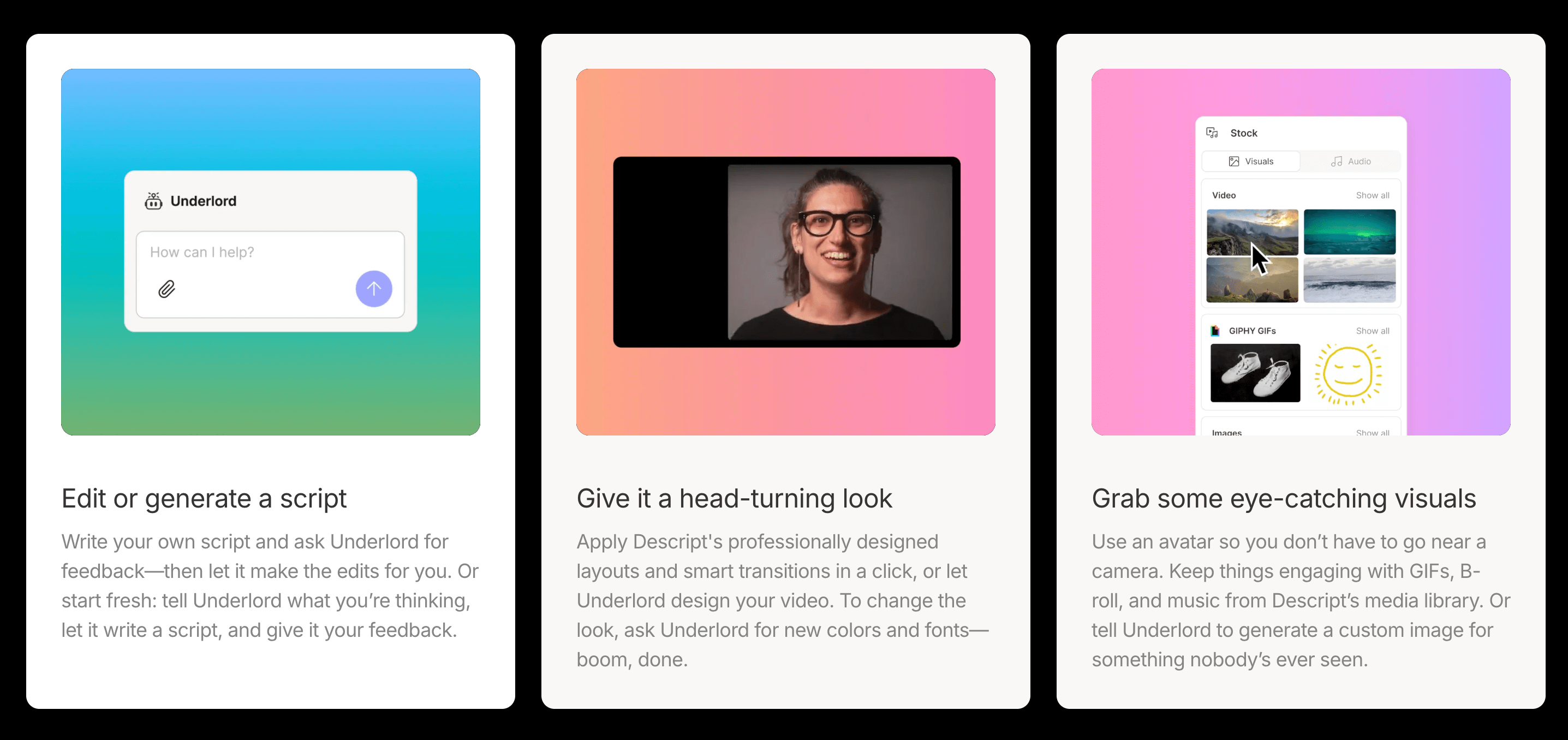
Start by writing or recording your content, then enhance it instantly with smart layouts, transitions, and design elements. If you’d rather not do it manually, just describe your vision, and Underlord, Descript’s AI assistant, will bring it to life. You can even write your own script, ask Underlord for feedback, and let it handle the edits — or have it generate a new script from your ideas and refine it with your input.
Apply stunning, pre-designed templates and transitions in one click, or ask Underlord to customize your video with new colors, fonts, and styles. Prefer to stay off-camera? Use an avatar, and keep your video engaging with GIFs, B-roll, and background music from Descript’s built-in media library. You can even ask Underlord to generate unique visuals for your story.
Every recording in Descript comes with an instant transcript, allowing you to edit your video simply by editing the text — no timeline scrubbing required. Beneath its clean interface, Descript also offers a full suite of professional tools, from timing adjustments and cross-talk removal to color correction and sound balancing.
Descript combines the power of AI with the creativity of a true editing suite — making video creation faster, easier, and more fun than ever.
Key Features
- AI audio and video editor
- Text-based editing system
- Screen recording and transcription
- Voice clone and overdub tool
- Easy timeline and export options
Use Cases
- Edit podcasts and videos
- Fix voice or text errors
- Record and edit tutorials
- Create marketing videos
- Transcribe and clean up audio
Other Tools in Podcasting
Need to update this tool?
If you're the owner of this tool or found incorrect information, contact us to make changes.
Contact Us